Voice Input nightly (September-October 2026)
We are working on improving the voice input functionality in our apps by integrating new model architectures. In order to simplify development and updating, this is launching first in the FUTO Voice Input app, which you can use with FUTO Keyboard.
Download the nightly version of FUTO Voice Input here: https://dl.voiceinput.futo.org/VoiceInput/dev.apk
Alternatively, you can download FUTO Voice Input from Google Play if you opt into beta testing there.
As you use this version of FUTO Voice Input, you may get frequent notices to update the app or update the models.
Setup (stable keyboard)
To use together with FUTO Keyboard, please go to FUTO Keyboard settings and make sure this toggle is turned ON. You are asked to do this during setup.
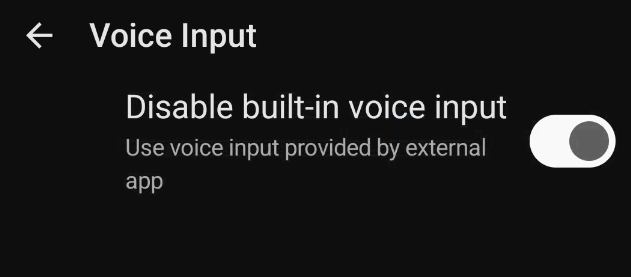
This makes sure that the nightly voice input app is used instead of the keyboard’s built-in version. If you don’t do this, the nightly voice input app will have no effect as the built-in version will continue to be used instead!
After everything is set up, the voice input button in FUTO Keyboard should open FUTO Voice Input like this:
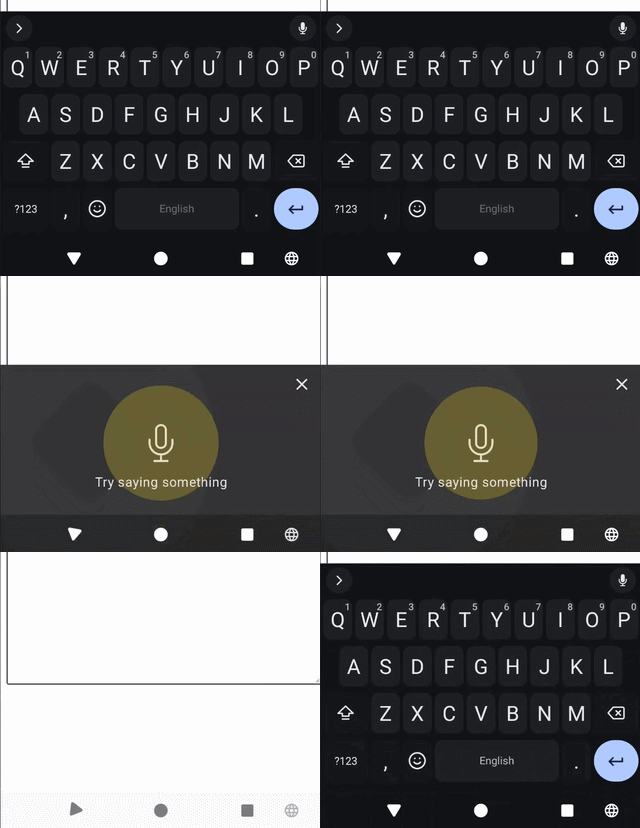
If it’s opening Google Voice Typing or something else, please go to FUTO Voice Input -> Input testing -> Open Input Method Settings and turn off other voice input methods.
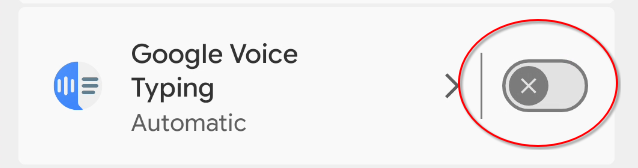
If you decide to go back or uninstall FUTO Voice Input nightly, you can still re-enable other input methods or undisable the built-in voice input.
Setup (nightly keyboard)
If you use the latest version of FUTO Keyboard nightly, then FUTO Voice Input nightly can automatically detect and update the settings, and there is an “External engine” option instead. However, it’s not necessary to use the nightly keyboard if you follow the setup above.
What’s new?
After setting up, the default model is set to asr4all medium. This is our new class of speech recognition models which support streaming recognition (outputting text as you talk, rather than waiting at the end for processing). There are also small and large variants.
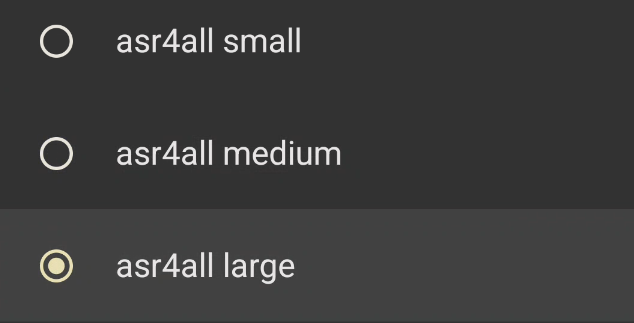
Here’s a breakdown of the available models:
- Whisper - these are same as before, nonstreaming models
- asr4all - our newly trained models that are lightweight and support streaming voice input with delayed automatic punctuation
- Parakeet - TDT is nonstreaming and Unified is technically streaming but is too heavy to run streaming on mobile
- Nemotron - streaming models, EN may work better for English than 3.5
- Moonshine - streaming model
For streaming models, you can also configure the streaming tier in Advanced settings. Generally, a higher tier will lead to higher accuracy but also a higher delay. This setting has effect on asr4all, Parakeet Unified and Nemotron models. However, the delay for a particular tier will differ between asr4all and Parakeet/Nemotron.
We recommend trying out asr4all large or medium, and try the mid streaming tier. However, please try out various models and let us know what you find to work best for you!
Limitations
Personal dictionary is only supported in Whisper models and asr4all. There is no support for personal dictionary in other models.
The asr4all models are English-only, with plans to expand medium model to a few others. For other languages, Nemotron Multilingual is the recommended streaming model, but its language support isn’t as wide as Whisper. Also, it doesn’t support automatic language detection under our current implementation, so you’ll have to manually select a language. Meanwhile, if you select Whisper as a multilingual model, you’ll lose streaming in English; you can turn on manual language selection to fix this.
If a streaming model is running too slowly, streaming will stop and it will fallback to running at the end. You will notice this when [...] is inserted and text stops being updated. This might happen if the device is running too many things or running too hot, or if the model is too large for the device (this is pretty much expected for Parakeet Unified).
If you have any feedback about asr4all models specifically, let us know as these are our models and we may be able to make improvements.